
Flash Clean: Storage & Memory
FRODO VENTURES LIMITEDTools
4.536.00 Reviews
- Version
- 1.0.1
- Installs
- 100.00K
- Age Rating
- Everyone
Screenshots
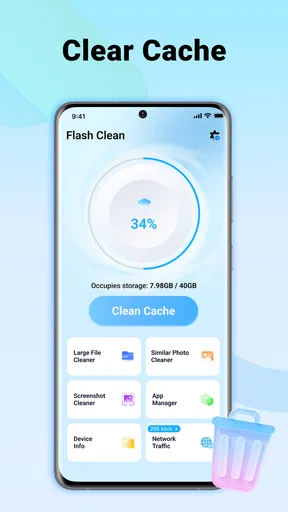
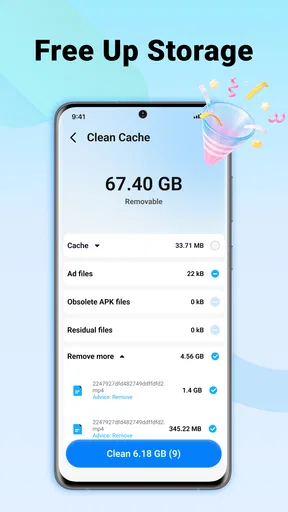
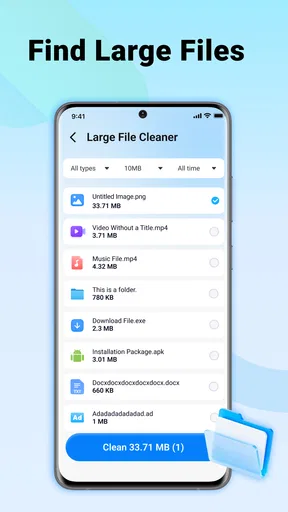
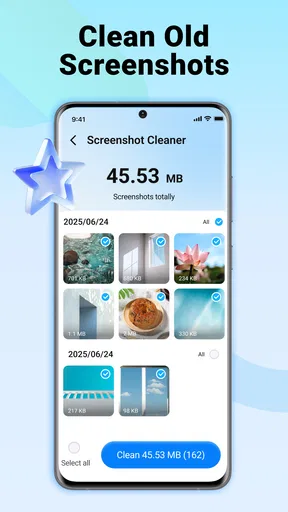
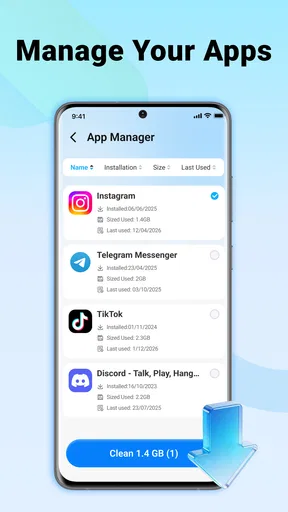
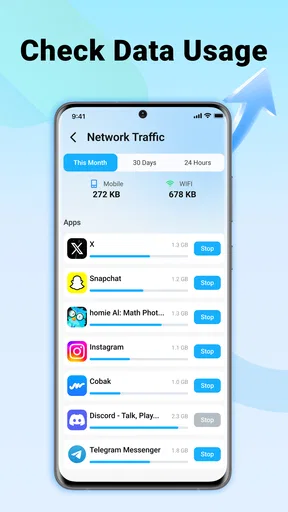
Our Review of Flash Clean: Storage & Memory
 Analysis by Appyee
I spent time with Flash Clean: Storage & Memory as a practical Android tools app, focusing less on its broad promise and more on whether it earns a place in a normal phone-maintenance routine. Its purpose is straightforward: help clear unwanted files and recover storage through a simple cleaning action. That narrow focus is also its main appeal. You are not opening it to manage documents, back up photos, or replace a full file manager. You are opening it when your phone feels cluttered and you want a quick way to inspect and remove unnecessary material.
The app is developed by FRODO VENTURES LIMITED, and it is available free of charge. That matters when judging its value: there is no purchase decision to make before trying the basic experience. I can evaluate the convenience of free access, but I would not treat it as a reason to expect every advanced cleaning function found in paid maintenance suites. For me, the sensible question is whether its quick approach saves enough effort compared with the storage tools already built into Android.
How Flash Clean fits into everyday phone maintenance
Flash Clean sits in the tools category and carries an Everyone content rating, making its positioning easy to understand. It is aimed at ordinary phone owners rather than technical users who want detailed control over partitions, application data, or system processes. The current version is 1.0.1 and works with Android 8.0 or later, so its audience includes people using older compatible devices as well as newer phones.
My first impression is that the app is built around reducing decisions. Instead of asking me to browse through folders and decide what each temporary file means, it presents cleaning as a short maintenance task. That can be useful after downloading several files, using social apps heavily, or letting cached material accumulate over time. The important distinction is that a cleaner should support a decision, not replace one. I would still review what is selected before confirming removal, especially if the phone contains work files, offline media, or downloads I may need later.
The store summary describes clearing junk and freeing storage in one tap. I read that as the intended workflow rather than a guarantee that every device will recover the same amount of space. Storage conditions vary widely: two phones with the same capacity can have completely different clutter depending on the owner’s apps and habits. A useful cleaner therefore needs to make the process understandable, not merely dramatic. Flash Clean’s value is strongest when it shortens the path from “my phone is getting full” to “I know what can safely be removed.”
What the free access means for value
Because Flash Clean is free, trying it does not require committing money to a subscription or one-time purchase. That makes it easy to test against Android’s own storage screen. If the app helps you identify disposable files more comfortably, it can justify keeping it installed without needing to compete on price. Its free status also makes it suitable for a family member who wants a simple maintenance tool but is unlikely to pay for a more elaborate utility.
I would keep expectations precise. Free access tells me the starting cost is zero; it does not automatically prove that the app is more capable than built-in Android controls or that every cleaning action is equally useful. The best way to judge it is to check whether the suggested cleanup is clear, whether the review step feels safe, and whether the recovered space is meaningful on your particular phone. If the app only repeats information already easy to find in system settings, its convenience may not be enough to warrant another icon and another app requesting attention.
The app has reached over one hundred thousand installs, with an average rating of 4.5 from around five hundred ratings and thirty-six written reviews. Those figures suggest that people are finding the basic concept useful, but they should not be treated as a substitute for checking how it behaves on your own device. Cleaning utilities can feel excellent on a nearly full phone and unnecessary on a carefully managed one.
A realistic use case: preparing a phone for a busy day
One situation where I can see Flash Clean helping is before a trip or a long day away from a charger and reliable internet. I might want room for photographs, downloaded maps, or a few videos, but I may not have time to inspect every app individually. In that moment, a focused cleanup pass is more convenient than opening several settings pages. I would run the scan, examine the categories or items presented, remove only material I recognize as disposable, and then confirm available space through the phone itself.
That workflow has a useful hidden benefit: it turns storage maintenance into a repeatable habit. Rather than waiting until an installation fails or the camera refuses to save a photo, I can check before a storage-heavy activity. The trade-off is that a one-tap design can encourage rushed decisions. I would never use it while distracted, and I would not assume that a file is safe to delete simply because it looks old or temporary.
Where it can save time, and where it cannot
The strongest practical advantage is convenience. Android already includes storage management, but the system menus differ by manufacturer and may spread cleanup actions across settings, app pages, and file browsing. A dedicated cleaner can feel more approachable because it gives the task a single destination. For someone who does not know where cached files live, that reduction in friction may be the entire reason to use it.
There is also a useful distinction between clearing clutter and creating lasting space. Removing temporary material can help immediately, but large personal files, unused applications, duplicate photos, and messaging media often require deliberate review. I would not expect Flash Clean to solve those problems automatically unless the app clearly presents them and lets me make the final choice. A phone that is full because of several large videos needs a different solution from a phone that has accumulated small temporary files.
For that reason, I see Flash Clean as a first pass rather than a complete storage strategy. After using it, I would still open the system storage view and check the largest categories. That two-step method is more reliable than trusting a single total. It also prevents the common mistake of repeatedly deleting small items while ignoring one large download or application that is consuming most of the space.
Important trade-offs before you rely on it
The first trade-off is simplicity versus control. A streamlined cleaner is easier to use, but advanced users may prefer Android’s own screens or a full file manager because they can inspect paths, dates, and individual files in greater detail. If you regularly organize folders, move media to external storage, or manage offline content carefully, a broad file-management tool may suit you better than a one-purpose cleaner.
The second trade-off is convenience versus confidence. Any cleanup action deserves a review step. I would be especially cautious with downloads, documents, voice recordings, and offline content, because these may look like clutter while still having personal value. The safest routine is to treat the suggested list as a recommendation, not an instruction. If I cannot identify an item, I leave it alone until I can verify it elsewhere.
The third trade-off concerns expectations around memory. The app’s name includes “Memory,” but freeing storage and improving available working memory are not the same task. Removing unnecessary files can help capacity, while Android generally manages active memory on its own. I would not install this app expecting a permanent speed transformation. Its clearest role is storage housekeeping, and judging it by that standard avoids unrealistic promises.
There is also a maintenance cost to any utility app. It occupies some space, adds another notification surface if notifications are enabled, and becomes another application to keep updated. On a phone with generous free storage and a user who is comfortable with Android settings, Flash Clean may offer too little additional value. On a phone that is constantly close to full, the convenience can be more meaningful.
Who is most likely to get real value?
I think Flash Clean is best for people who want a quick, uncomplicated storage check. It may suit users who are not comfortable navigating manufacturer-specific settings, people who frequently download media, and families sharing devices where not everyone understands which files are temporary. Its Everyone rating and support for Android 8.0 or later also make its intended audience broad, although the experience can still vary by phone brand and Android configuration.
It is particularly useful as a coaching tool for someone who repeatedly receives low-storage warnings. Rather than deleting random photographs, that person can begin with a focused cleanup, learn which kinds of files accumulate, and then build a better habit around downloads and large media. The app is more valuable when it helps the user understand storage patterns, not when it becomes a button pressed blindly.
I would skip it if I already use Android’s storage controls confidently and prefer inspecting every file myself. I would also look elsewhere if I need cloud backup, duplicate-photo review, secure document handling, detailed folder management, or a complete device-optimization dashboard. Those are different jobs, and choosing a broader tool would be more sensible than expecting this app to become one.
My practical routine for using it safely
I would begin by checking the phone’s available storage before opening the cleaner. That gives me a reference point and prevents me from confusing a visual change in the app with a meaningful improvement. Next, I would run the cleanup and read the results rather than immediately accepting them. I would protect anything connected to travel, work, school, health, or personal memories, then remove only items whose purpose is clear.
Afterward, I would compare the phone’s storage view again and note which category changed. This is a more useful test than judging the app by how quickly the animation finishes. If the recovered space is small, I would move on to large applications, videos, and downloads manually instead of repeating the same cleanup several times. That approach turns Flash Clean into a controlled shortcut rather than a substitute for understanding the phone.
Another non-obvious tip is to use it before a specific storage event, not as a constant background ritual. A cleanup before recording a long video or downloading a large map set has a clear purpose and a measurable result. Running cleaners compulsively can create the feeling of maintenance without addressing the actual source of storage pressure. I prefer occasional, intentional checks.
My verdict on Flash Clean: Storage & Memory
My view is positive but measured. Flash Clean: Storage & Memory delivers the most value as a free, focused convenience for people who find Android storage management confusing or time-consuming. Its simple purpose is easy to understand, and the low barrier to trying it makes comparison with the built-in tools straightforward. I would recommend giving it a fair test if low-storage warnings are a recurring problem and you want a guided first step.
I would not recommend treating it as a magic speed booster or as a complete replacement for file management. The app cannot remove the need to check important files, and users who want deep control may be better served by Android’s own storage tools or a dedicated file manager. The right choice depends on whether convenience matters more to you than detailed inspection.
For me, the final decision is simple: install it when you want a quick, readable cleanup routine and are willing to review what will be removed. Skip it when your phone is already organized, storage is plentiful, or your needs extend beyond basic junk-file housekeeping. Since access is free, the most sensible verdict is to test it against your current Android workflow and keep it only if the saved effort feels real. Its value is practical convenience, not an excuse to stop managing your files carefully.
Verdict
Strengths of Flash Clean: Storage & Memory
- Quickly identifies large, duplicate, and unnecessary files
- Simple interface makes storage cleanup easy for beginners
- Can help free space without manually browsing every folder
- Useful memory tools for spotting apps using significant resources
- Provides a convenient all-in-one cleanup experience
Limitations of Flash Clean: Storage & Memory
- Some cleanup suggestions may require manual review before deletion
- Aggressive cleaning can remove files you intended to keep
- Extra features may be limited behind in-app purchases
- Memory optimization benefits can be temporary on modern devices
- Performance and scan results may vary between Android models
Other Releases by FRODO VENTURES LIMITED
View All
Junk Eraser - Storage Manager
Tools4.3
Similar Picks in This Category
View All
Google LLC4.0

Gboard - the Google Keyboard
Google LLC4.5

Google Play services
Google LLC4.3

Google Play Store
Google LLC4.9

Files by Google
Google LLC4.5

SHAREit: Transfer, Share Files
Smart Media4U Technology Pte.Ltd.4.3
Frequently Asked Questions
What is Flash Clean: Storage & Memory used for?
Flash Clean: Storage & Memory is designed to help you manage and optimize space on an Android device. It can scan for unnecessary files, cached data, duplicate or similar photos, large files, and other items that may be taking up storage. Depending on the version, it may also include memory-monitoring or device-boosting tools. Results should be reviewed carefully before deleting anything important.
Is Flash Clean: Storage & Memory safe to use?
The app can be useful for identifying clutter, but users should still treat cleaning tools carefully. Storage-management apps may request access to photos, media, files, and other device information so they can perform scans. Before using it, check the permissions, privacy policy, developer information, and recent user reviews. Always inspect the suggested items manually and avoid deleting files whose purpose you do not recognize.
Can Flash Clean: Storage & Memory delete personal photos, videos, or documents?
Yes, a cleaning application may offer to remove photos, videos, downloads, cached files, or other content that it identifies as unnecessary. Similar-photo and large-file scans can sometimes include items you want to keep, especially screenshots, edited copies, offline media, or files stored in unusual folders. Create a backup first, review every selection, and use the device’s recycle-bin or recovery option when available.
Does Flash Clean: Storage & Memory really improve phone performance?
The app may help a phone feel less cluttered by freeing storage and closing or identifying resource-heavy processes, but its performance benefits can vary considerably. Removing temporary files may improve available space, while repeatedly force-closing apps or clearing memory may provide little lasting benefit because Android manages memory automatically. It should be viewed mainly as a storage-management tool rather than a guaranteed speed booster.
Is Flash Clean: Storage & Memory free, and does it contain ads or subscriptions?
Availability of features, advertisements, and paid options can depend on the app version, region, and operating system. Many cleaner applications provide basic scanning for free but place advanced tools, unlimited cleaning, or an ad-free experience behind in-app purchases or a subscription. Check the Google Play or App Store listing before downloading, and carefully review trial terms, renewal dates, and cancellation instructions.
